Organising a Next.js app by feature
2 min read
On this page
Most Next.js projects start with folders named after what files are: components/, hooks/,
utils/. That works until the app grows and every change touches five folders. This site is
organised by what files are about instead.
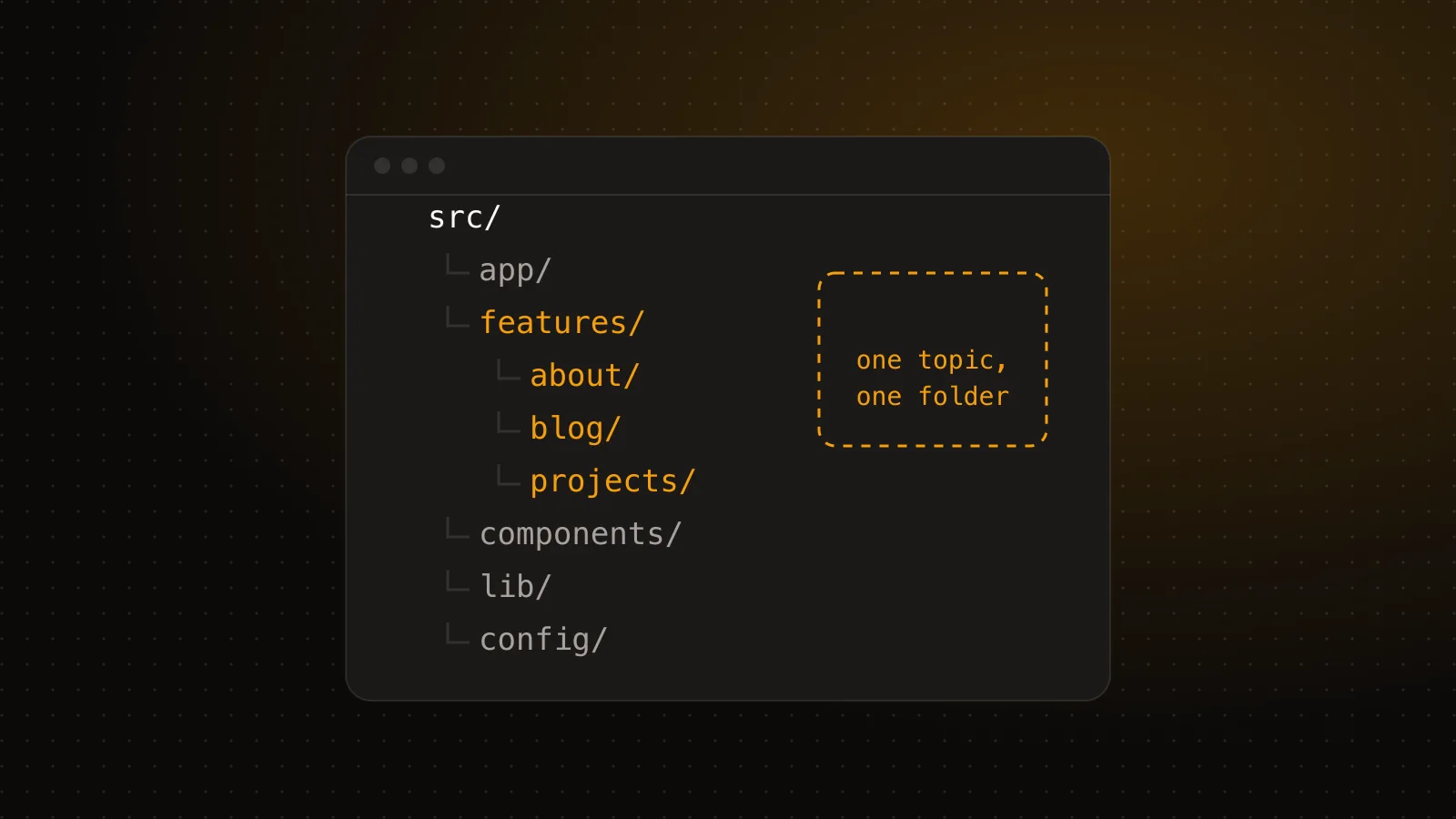
One topic, one folder
Everything that belongs to a topic lives in src/features/<topic>/: its components, its data, its
types and its stories. The routes in src/app/ stay thin. They import from features and arrange
the result on the page.
src/
├── app/                # Routes: compose features, no business logic
├── features/
│   ├── about/          # components/, data.ts, types.ts
│   ├── blog/
│   └── projects/
├── components/         # Shared UI: Button, Section, motion
├── lib/                # Shared helpers: dates, SEO, GSAP setup
└── config/             # Site-wide settings
When I work on the blog, I open one folder. When I delete a feature, I delete one folder.
The two rules
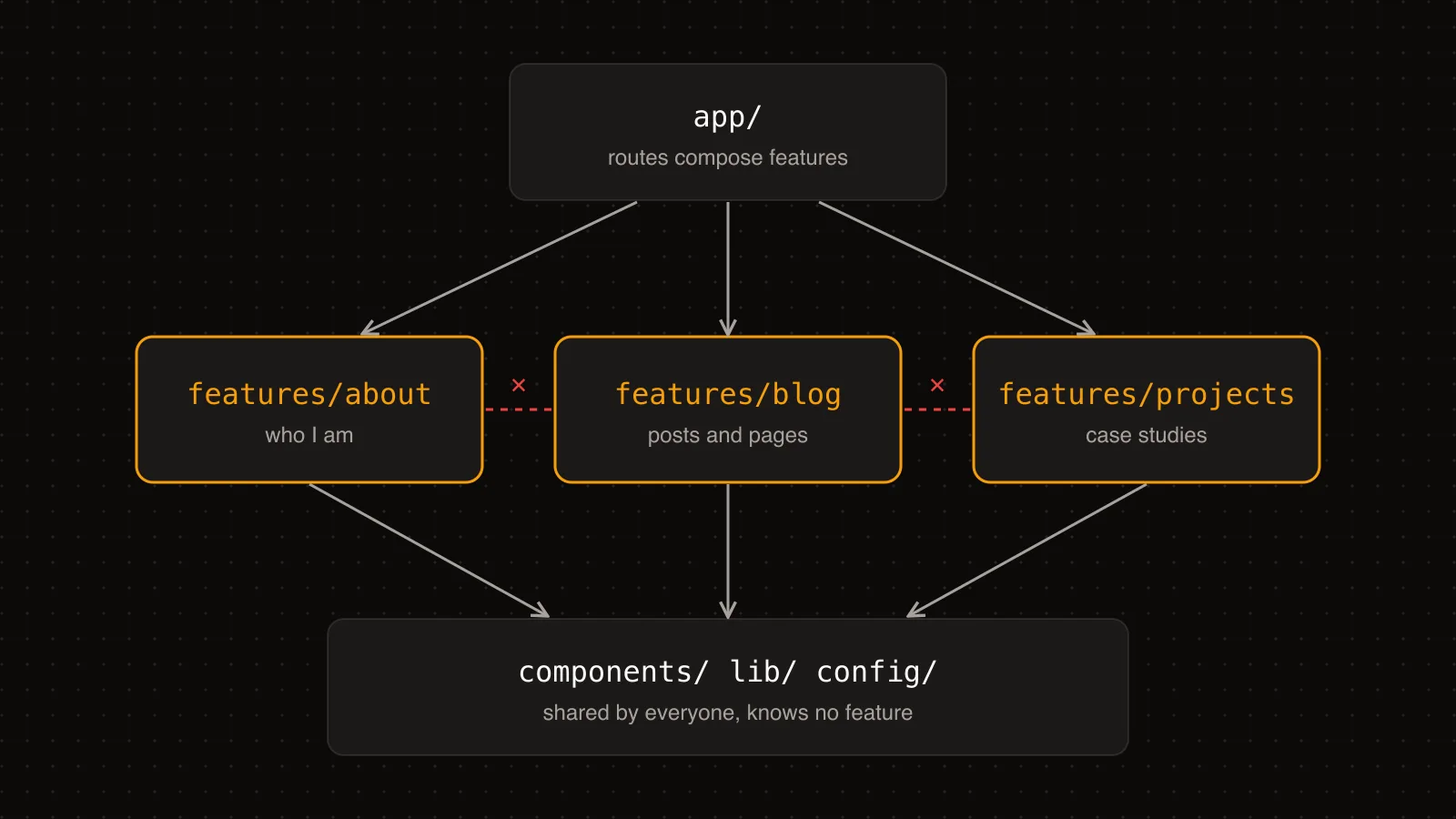
Folders only help if the boundaries hold. Two rules keep them honest:
- Features never import each other. If two features need the same thing, it moves to shared code.
- Shared code never imports a feature.
components/andlib/stay generic, so anything can use them.
Enforce them with a linter
Rules in a README are suggestions. Rules in CI are rules. dependency-cruiser checks every import against a list of forbidden ones:
{
  name: "no-cross-feature-imports",
  severity: "error",
  from: { path: "^src/features/([^/]+)/" },
  to: { path: "^src/features/", pathNot: "^src/features/$1/" },
}
The $1 refers back to the feature in from, so a feature can import its own files but not a
sibling's. It runs on every commit, so a wrong import never reaches the main branch.
When it pays off
Small apps don't need this. It starts paying off when there are a few distinct topics, more than one person, or a codebase you'll come back to after months away. You'll know where things live without searching.
- Next.js
- Folder structure
- dependency-cruiser